
Thinkleet.net now has an address that doesn't touch a web browser. It's called Thinkleet.net Off-Grid, and it's this same blog, every post I've published, sitting on a network protocol most people have never heard of and that has nothing to do with HTTP.
This post is two things at once: an ELI5 of what Reticulum and NomadNet actually are, and a start-to-finish guide to connecting to Thinkleet.net Off-Grid from whatever you're reading this on right now.
What Reticulum Actually Is
Reticulum is a networking protocol built by Mark Qvist for links that are slow, unreliable, or don't touch the internet at all. Think LoRa radios, packet radio TNCs, serial cables, or a plain TCP socket, all usable interchangeably by the same software. There's no central server and no fixed addressing scheme the way IP works. Every node generates its own cryptographic identity, and routing happens around whatever's actually connected at the moment, not around some ISP's idea of where you live.
NomadNet is the terminal client built on top of Reticulum. It does two jobs. It's an encrypted messenger, using a system called LXMF that behaves less like a chat app and more like a mailbox that trusts the network to eventually deliver. And it's a browser for a text-only web of its own, made of pages written in a lightweight markup called Micron instead of HTML. Micron pages are small on purpose. A single JPEG can be bigger than an entire article, and Reticulum was designed for links where that actually matters.
What It Isn't
It isn't Meshtastic, and the two don't interoperate. A Meshtastic node has no idea Reticulum exists, and vice versa. They're both mesh networking for the same rough category of hardware, but they're separate protocols built by separate people with separate goals, and connecting to Thinkleet.net Off-Grid won't do anything for your Meshtastic devices.
It also isn't the regular internet with a costume on. There's no DNS, no certificate authority, no "www." Addresses are long hexadecimal strings tied to a cryptographic identity, and you reach a node by announcing on the network and waiting for a path to resolve, or by connecting directly if you already have one. It's slower to get your bearings in than typing a URL. That's the tradeoff for a network that keeps working when the internet in the traditional sense isn't there.
How Thinkleet.net Off-Grid Is Reachable Right Now
The node is exposed over a plain TCP socket at reticulum.thinkleet.net, port 4242. That means reaching it today still involves an internet connection somewhere in the path, which sounds like it defeats the point until you remember that Reticulum doesn't care what the underlying link is. The exact same NomadNet client that connects over TCP right now would connect identically over a LoRa radio or a packet radio TNC with zero code changes on either end. Getting there without the internet in the loop is a hardware problem at this point, not a software one.
The node also keeps a standing connection out to NEPAMesh's own Reticulum transport, which is the kind of detail that only matters if you're already deep enough into this protocol to care that two off-grid mirrors of two different blogs can hear each other's announces.
Installing NomadNet
NomadNet is a Python package, and the install is the same everywhere:
pip install nomadnetWindows and Mac need Python 3 first, grab it from python.org, or on Mac, brew install python. Once that's done, run nomadnet from a terminal, Command Prompt, or PowerShell window and the text interface comes up. The NomadNet repository has the full README if you want more than the bare install command, and Let's Decentralize's walkthrough is a gentler version of the same thing.
On Android, skip Python and grab Columba instead, a native Reticulum and LXMF client that also browses NomadNet pages. The APK is on its releases page. Add a TCP interface from inside the app using the same host and port below.
Adding Thinkleet.net Off-Grid as an Interface
NomadNet runs on top of Reticulum's own config file, usually at ~/.reticulum/config. On Windows that's your user folder, something like C:\Users\YourName\.reticulum\config. Add this under [interfaces]:
  [[Thinkleet Off-Grid Gateway]]
    type = TCPClientInterface
    enabled = Yes
    target_host = reticulum.thinkleet.net
    target_port = 4242
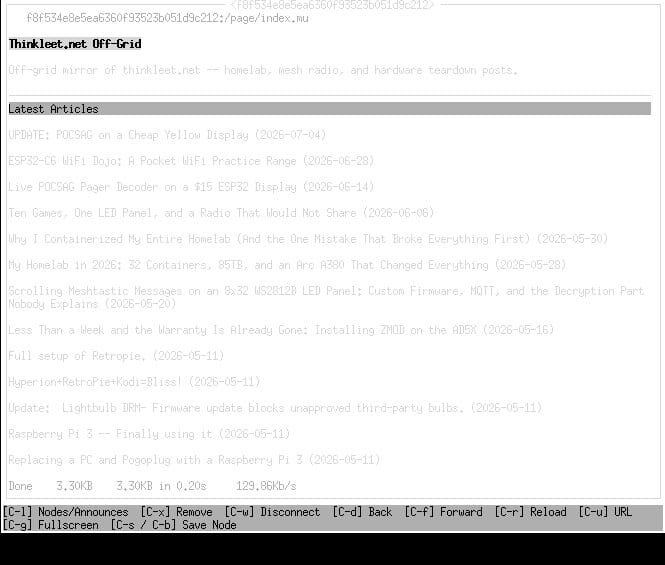
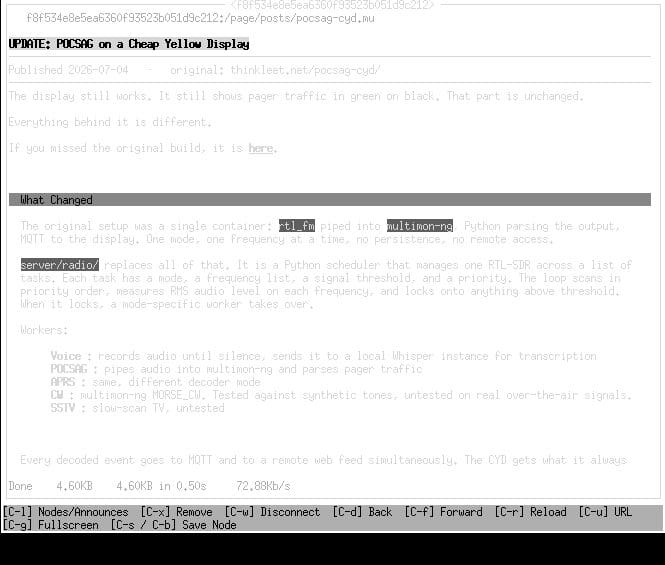
Restart NomadNet, hit Ctrl+N for the Network pane, and wait for an announce from Thinkleet.net Off-Grid to show up. If you already know its address you can connect straight to it instead of waiting. From there it's a normal page browse. Select the node, and the index loads with links to every mirrored post.
What's Actually Mirrored
Everything. The full archive, not a curated subset. A sync job pulls this site's RSS feed roughly every thirty minutes and converts each new post to Micron, and because RSS only ever exposes the newest handful of posts, a sitemap pass runs alongside it to catch everything RSS never carried. That's how the older stuff, going back to the RAMPS 1.4 post from 2018, ends up on there too. Once a post's been imported, it stays listed even after it rolls off the live feed.
Images don't come along for the ride. A photo of a 3D printer bed can outweigh an entire article of text, and that tradeoff is the whole reason this exists. If you're reading Thinkleet.net Off-Grid, you already knew what you were signing up for.
That's the setup. Same posts, same sardonic commentary, just none of the JPEGs, and none of the internet required to get there eventually.