I have been spending a lot of time with Meshtastic lately. An unreasonable amount of time, if we’re being honest. The kind of time that makes your spouse ask “are you building another one?” with a tone that suggests the correct answer is no, but we both know the answer is yes. So, in the interest of dragging others into this hobby with me, here’s everything you need to know to get up and running — and how to connect to the NEPAMesh network here in Northeastern Pennsylvania without making enemies in the process.
What Is Meshtastic and Why Should You Care?
Meshtastic is open-source firmware that turns cheap LoRa radio modules into a mesh network. Text messaging, GPS location sharing, and sensor data — all without cell towers, without internet, and without a monthly bill. Messages hop from node to node across the mesh, with a documented range record of over 206 miles on a single hop. You’re not going to hit 206 miles with a stock antenna on your kitchen table, but the point is that the technology is absurdly capable for what it costs.
Think of it as if walkie-talkies and text messaging had a baby, and that baby was raised by ham radio operators and open-source developers. It’s a beautiful, nerdy thing.
The best part? No registration, no license, no account. You buy a radio, flash the firmware, and you’re on the mesh. Nodes automatically discover each other using default modem presets and encryption keys. It’s the lowest barrier to entry in radio communications I’ve ever seen, and I say that as someone who studied for an amateur radio license.
Hardware: What to Buy
You need a LoRa radio module. That’s it. There are several options depending on your budget and what you want out of it. Here are the ones I’d recommend for getting started:
Heltec LoRa32 V3 (~$20-25)
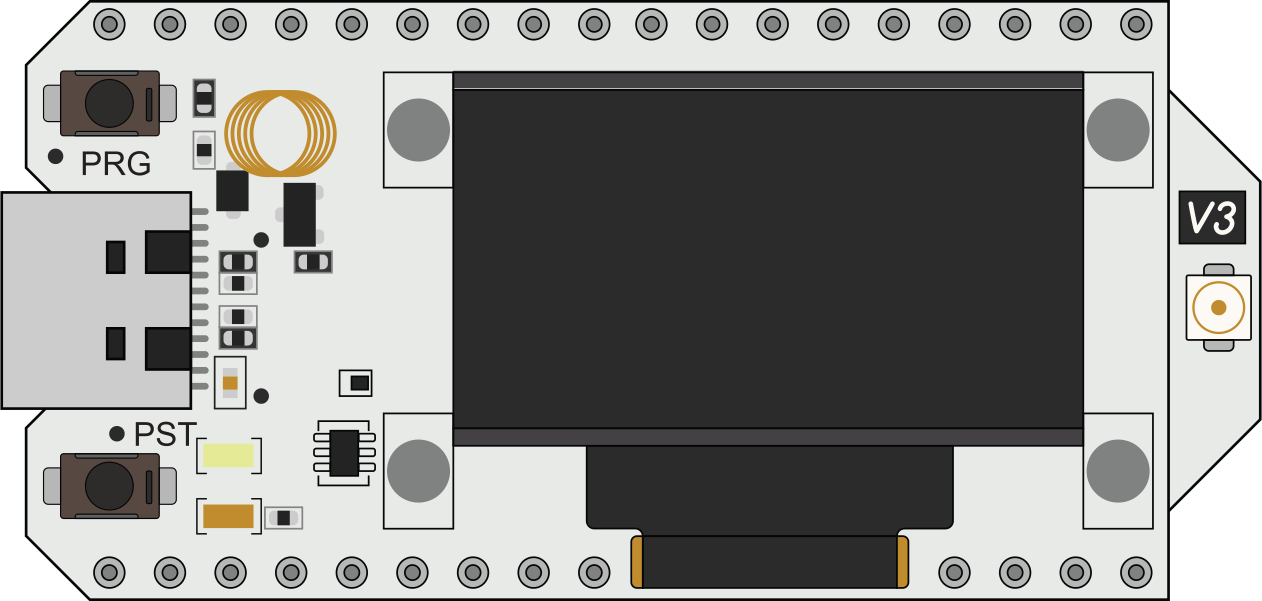
This is the one I tell people to start with. It’s cheap, it’s small, it has a built-in OLED display, and it runs on an ESP32-S3. No built-in GPS, but your phone handles location data over Bluetooth just fine. At this price point, you can afford to buy two — one for home, one for your bag — and still spend less than a nice dinner. It’s the gateway drug of Meshtastic hardware.
LILYGO T-Beam Supreme (~$43)
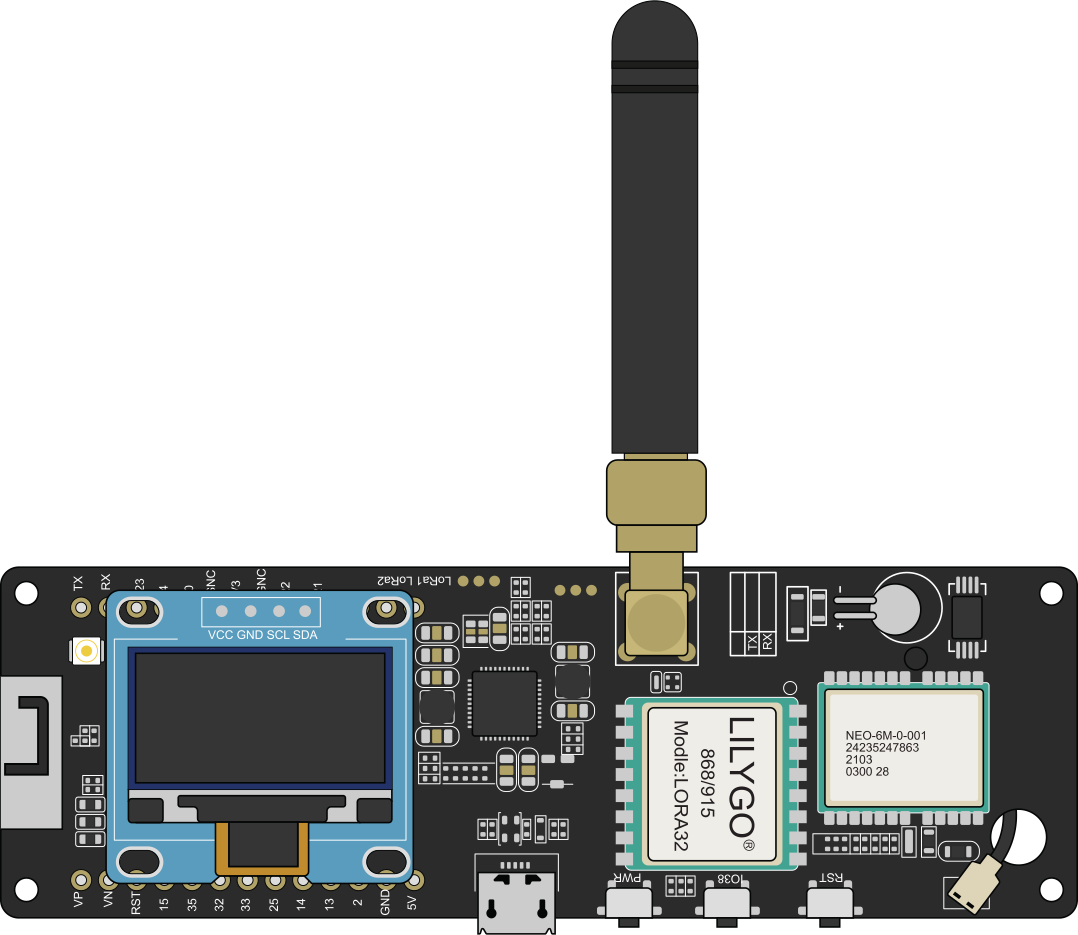
The step up. ESP32-S3 with built-in GPS, Wi-Fi, and Bluetooth. Accepts an 18650 battery, which means you can run it portable without fussing with USB power banks. You may need to solder an antenna connector depending on the variant you get, but if you’re reading a blog called thinkleet.net, I’m going to assume you own a soldering iron. This is the one I use for my mobile nodes.
RAK WisBlock Starter Kit (~$25-37)
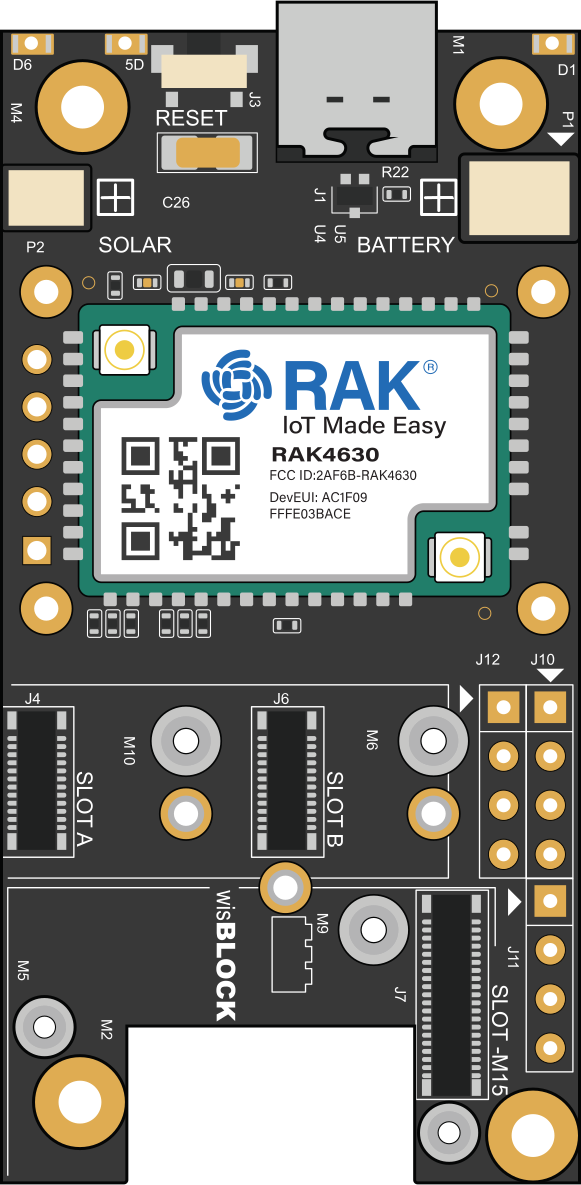
The nRF52840-based option. The battery efficiency on this thing is genuinely impressive — we’re talking days to weeks on a single charge, depending on configuration. The modular design means you can snap on GPS, sensors, and other accessories. This is the platform of choice for solar-powered installations, and if you’ve read my previous post, you know I have a thing for building solar nodes and putting them on mountaintops.
LILYGO T-Deck (~$50-60)
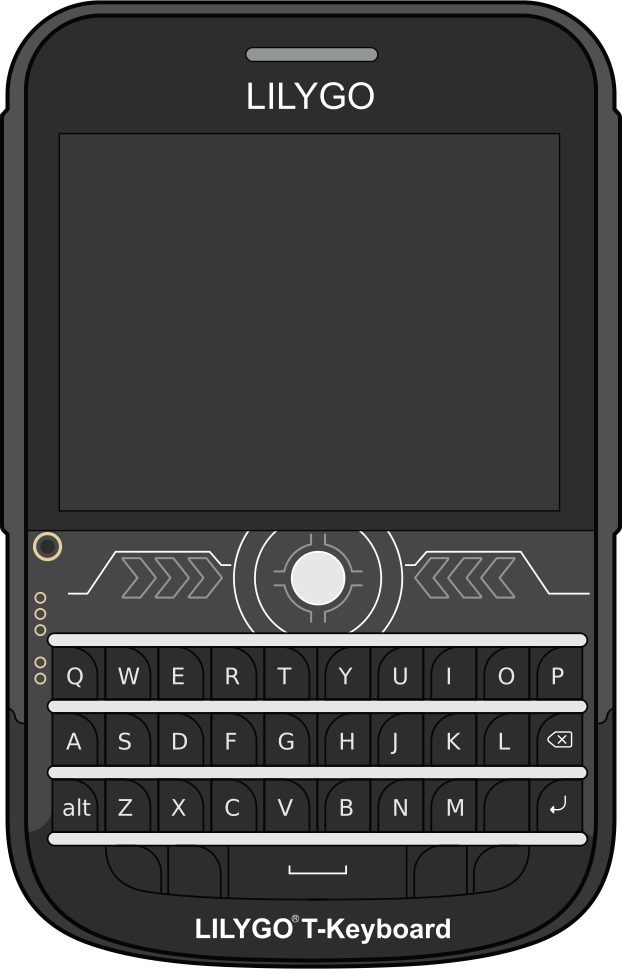
The standalone option. Built-in screen, built-in keyboard, no phone required. It’s the closest thing Meshtastic has to a “finished product” and it’s great for field use or demonstrations. Also, it looks cool, and looking cool while doing nerdy things is an underappreciated skill.
There are other options — the Seeed Card Tracker T1000-E, B&Q Nano G2 Ultra, Heltec Mesh Node T114, XIAO bundles — but the four above cover the most common use cases. Pick one and move forward. The hardware rabbit hole is deep and you can explore it later.
First Boot: Don’t Skip This Part
Before you plug anything in, there is one rule that is absolutely non-negotiable:
Attach the antenna before you power it on.
I cannot stress this enough. LoRa radios transmit whether or not an antenna is connected. Transmitting without an antenna reflects the signal energy back into the radio module. At best, this degrades performance. At worst, it damages the radio. At absolute worst, you’ve just turned your $25 investment into a very small, very useless paperweight. Antenna first. Always.
With that out of the way, here’s the setup process:
- Connect via USB — Use a USB data cable. Not a charge-only cable. I know you have seventeen USB cables in a drawer and exactly one of them is a data cable. Find that one. If characters don’t appear when you plug it in and open a terminal, it’s the wrong cable. I’ve wasted more time on this than I care to admit.
- Flash the firmware — Open Chrome or Edge (sorry Firefox users, WebSerial isn’t there yet) and go to flasher.meshtastic.org. Select your hardware, click flash, and wait. The web flasher handles everything. It’s almost disappointingly easy for those of us who remember compiling firmware from source.
- Install the app — Meshtastic is available for Android, iOS, and there’s a web client. Download it, pair via Bluetooth, and you’ll see your node.
- Configure your node — At minimum, set your node name (short name and long name) and confirm the region is set to US (assuming you’re in the US — using the wrong region setting can violate radio regulations, and nobody wants that kind of hobby).
That’s it. You’re on the mesh. If there are other nodes within range, you’ll see them. If there aren’t, well, that’s why you bought two, right?
What to Expect: Range
Range depends on terrain, antenna quality, height, and the whims of physics. Some rough expectations:
- Ground level, stock antenna: 1-2 miles in most conditions. Don’t be disappointed by this — it’s the starting point, not the ceiling.
- Elevated with clear line of sight: 6-20+ miles. Put a node on your roof or up a hill and the range increases dramatically.
- Serious height advantage: 30+ miles. A solar node on a mountaintop or a tall building can cover an absurd area. This is where the solar builds really shine (pun intended).
The mesh aspect means your message doesn’t have to reach the destination directly. It hops. Node to node to node, up to 3 hops by default (configurable up to 7). Every node in range is a potential relay. The more nodes in your area, the more resilient and far-reaching the network becomes. It’s networking in the most literal sense.
Connecting to NEPAMesh: MQTT Setup
This is where it gets specific to our local network. NEPAMesh is a community of Meshtastic enthusiasts in the Wyoming Valley area of Northeastern Pennsylvania. We’ve been building out a local mesh network since early 2024, and part of that infrastructure includes an MQTT server that aggregates node data, populates our network map at map.nepamesh.com, and lets you see who’s out there.
Connecting your node to the NEPAMesh MQTT server gets your node on the map and contributes your traffic data to the network. Here’s how to set it up.
MQTT Module Settings
In the Meshtastic app, navigate to the MQTT module settings and configure the following:
| Setting | Value |
|---|---|
| MQTT Server | mqtt.nepamesh.com |
| Username | meshdev |
| Password | large4cats |
| Encryption | ON (default) |
| TLS | OFF |
| Root Topic | msh/nepa |
| Proxy to Client | ON (phone-connected) / OFF (Wi-Fi connected) |
| Map Reporting | ON |
| Map Publish Interval | 3600 seconds (1 hour) |
| Approximate Location | 14 (default) |
The root topic msh/nepa is case-sensitive and has no trailing slash. This keeps our traffic separate from the public Meshtastic MQTT server which uses msh/US. Get this wrong and your data goes to the wrong place.
LoRa Settings
This one is critical: under your LoRa settings, make sure “OK to MQTT” is set to ON. Without this, your entire MQTT configuration is ignored. The node just silently does nothing with MQTT. No error, no warning, just… nothing. Ask me how I know.
Channel Settings (Primary Channel – LongFast)
| Setting | Value | Why |
|---|---|---|
| Uplink Enabled | ON | Sends your node’s packets to the MQTT server |
| Downlink Enabled | OFF | Read below — this matters |
| Position Enabled | ON | Required for map visibility |
| Precise Location | OFF | Adds ~1 mile of coordinate fuzz for privacy |
Why Downlink Stays OFF and Why Hops Matter
This is the part where I get on a soapbox for a minute. Downlink is the reverse of uplink — instead of sending your local mesh traffic up to the MQTT server, it pulls MQTT traffic back down and rebroadcasts it over radio. If you turn it on, every packet that hits the MQTT server from every connected node gets rebroadcast by your radio into the local mesh. That eats airtime, congests the network, and makes everyone else’s experience worse. Don’t be that node.
Now, here’s the part that’s worth understanding even if you leave downlink off: the NEPAMesh MQTT server is configured to set the remaining hops to 0 on any packets it sends back out. This is a server-side safeguard, not something you configure on your node. A remaining hop count of 0 means that when a packet comes down from MQTT and a gateway node broadcasts it over radio, no other node will retransmit it. It’s a one-hop local broadcast only. The packet reaches anyone in direct radio range of the gateway and dies there.
Without this, you get a nasty feedback loop: mesh traffic goes up to MQTT, comes back down through a gateway, gets picked up by neighboring nodes, and gets re-relayed right back across the mesh — duplicating packets that were already on the mesh in the first place. The result is wasted airtime, duplicated messages, and a network that performs worse for everyone. By setting remaining hops to 0 at the server level, the NEPAMesh MQTT infrastructure prevents this leakage regardless of how individual gateway nodes are configured. It’s a belt-and-suspenders approach — downlink should still be off for most users, but even if someone turns it on, the server-side hop limit keeps the damage contained.
Recommended Node Settings (Don’t Be That Node)
Your Meshtastic node talks a lot more than you think it does. I wrote a whole article about this on NEPAMesh, but here’s the short version: of nearly 20,000 packets observed in a 24-hour period on the NEPAMesh network, only 22 were actual text messages. The rest were position broadcasts, telemetry, and NodeInfo packets. Your node is chatty, and every unnecessary packet eats shared airtime.
Here are the settings I recommend to be a good mesh citizen:
| Setting | Value | Notes |
|---|---|---|
| NodeInfo Broadcast | 14400 sec (4 hours) | No one needs to know about your node every 15 minutes |
| Position Broadcast | 14400 sec (4 hours) | For fixed/home nodes. 3600 (1 hour) is fine for mobile handhelds |
| Smart Position | OFF | For stationary nodes — you’re not moving, stop saying you are |
| GPS Polling | 1800 sec (30 min) | Saves power, reduces unnecessary updates |
| Telemetry Intervals | 7200 sec (2 hours) | All telemetry types — device, environment, power |
| Neighbor Info Module | OFF | Creates packets with no real benefit. Just turn it off. |
| Ignore MQTT | ON | Prevents MQTT-originated traffic from saturating your node |
| Number of Hops | 3-5 | Higher isn’t better — it’s just louder |
The general principle is simple: transmit only what’s needed, at intervals that make sense, with hop counts that don’t blast your packets into neighboring states. A well-configured mesh is a usable mesh.
Where to Go From Here
Once you’re on the mesh and connected to the NEPAMesh MQTT server, check out map.nepamesh.com to see your node on the network map. It may take up to an hour for your node to appear depending on your map publish interval. If it doesn’t show up, double-check that “OK to MQTT” is on, your root topic is exactly msh/nepa, and your node has a position (either from GPS, your phone, or manually set fixed coordinates).
You should also check out propagation.nepamesh.com — this is the NEPAMesh RF propagation monitor, and it’s one of the more useful tools we’ve built. Among other things, it has an RF shadow map that shows you where coverage gaps exist in the network. If you’re not familiar with the term, an RF shadow is an area where radio signals can’t reach — typically caused by terrain features like hills, ridges, or valleys that physically block the signal path between nodes. Think of it like a literal shadow: if a mountain is between your node and the rest of the mesh, the area behind that mountain is in the RF shadow. No amount of power or antenna gain fixes a mountain in the way. You either go around it, over it, or put a relay node on top of it.
The shadow map on propagation.nepamesh.com is built from real observed traffic on the mesh, not theoretical models. It analyzes actual node positions and link data to show where signals are getting through and where they aren’t. This matters because theoretical propagation models are optimistic liars — they don’t account for the tree line, the building your neighbor put up, or the fact that the terrain data they’re using hasn’t been updated since before the highway was repaved — and let’s be honest, this is NEPA, so probably since before the highway was built.
The part I find most useful is the placement suggestions feature. It looks at the current network — where nodes exist, where coverage gaps are, where RF shadows fall — and suggests locations where a new node would have the most impact on closing those gaps. If you’re thinking about deploying a node (especially a solar relay on a high point), the placement suggestions tell you where it would actually do the most good instead of just guessing. It takes the “I wonder if this hilltop would be a good spot” out of the equation and replaces it with data. It’s the difference between throwing darts blindfolded and actually looking at the board first.
For more detailed guides, head over to NEPAMesh where we’ve got articles on MQTT configuration, recommended settings, and network analytics. We also have an active Discord community where you can ask questions, share your setup, and argue about antenna theory with people who are equally unqualified to do so.
If you’re in the NEPA area, get a node and get on the mesh. If you’re not in the NEPA area, get a node anyway and start your own local mesh. The hardware is cheap, the software is free, and the community is welcoming. Worst case scenario, you’ve spent $20 on a small blinking radio that you can show off at your local hackerspace. I’ve wasted money on far worse things.